


Businesses rely on recurring processes to manage sales, finance, customer service, human resources, operations, and other activities. When these processes depend heavily on manual data entry, approvals, reminders, and communication, employees may spend considerable time completing repetitive tasks.
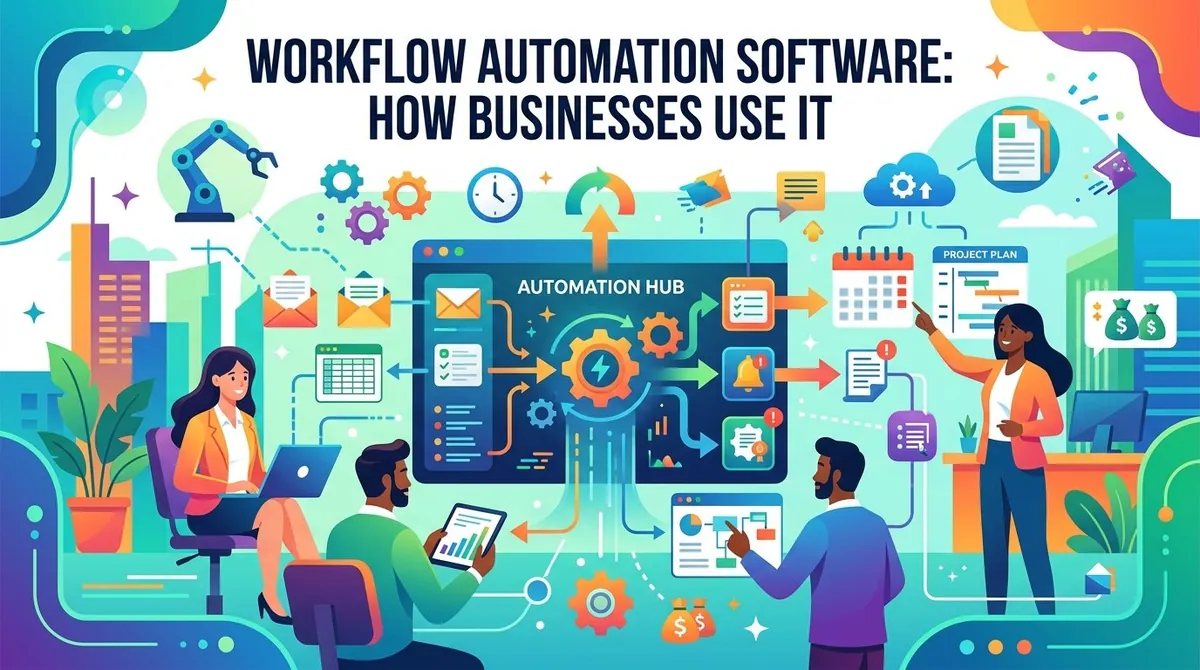
Workflow automation software helps businesses automate defined steps within a process using rules, triggers, integrations, and automated actions. Instead of requiring employees to complete every step manually, software can move information between systems, assign tasks, send notifications, request approvals, and perform other predefined actions.
The applications range from simple notification workflows to complex processes involving multiple departments and business systems. Businesses should understand how workflow automation works, where it can be applied, and what to consider before implementing a solution.
What Is Workflow Automation Software?
Workflow automation software is designed to automate repetitive tasks and processes according to predefined rules or conditions. A workflow can typically begin when a particular event occurs and then trigger a sequence of actions.
For example, when a customer submits a form, an automated workflow could add the information to a CRM system, notify a sales representative, create a follow-up task, and send an acknowledgment email.
Many workflow automation platforms use if/then logic, connectors, triggers, and actions to coordinate these steps. Modern solutions can also incorporate artificial intelligence, robotic process automation, and process-mining capabilities for more complex automation requirements.
Key Features of Workflow Automation Software
Workflow Builders
Visual workflow builders allow users to create automated processes by arranging triggers, conditions, actions, and approvals.
Low-code and no-code interfaces can allow employees to create certain workflows without extensive programming knowledge. Microsoft Power Automate, for example, provides tools for creating workflows across various platforms.
Triggers and Actions
A workflow generally begins with a trigger. This might be a new form submission, incoming email, completed transaction, updated record, or scheduled time.
The trigger can then initiate one or more actions, such as creating a task, sending a notification, updating a database, or requesting approval.
Approvals
Many business processes require someone to review and approve an action before it can continue. Workflow software can route requests to the appropriate person and record the resulting approval or rejection.
Common examples include purchase approvals, expense reimbursements, vacation requests, contracts, and discounts.
Integrations
Integrations allow workflow software to exchange information with other applications. Depending on the platform, connections may be available for email, CRM, accounting, project management, cloud storage, databases, communication platforms, and other business applications.
Microsoft describes Power Automate as supporting workflows across Microsoft 365 and third-party systems through connectors.
Notifications and Reminders
Automated notifications can alert employees when an action is required or when a process reaches a particular stage.
Businesses can use reminders for deadlines, approvals, customer follow-ups, overdue tasks, and other time-sensitive activities.
Monitoring and Reporting
Workflow automation platforms can provide visibility into running workflows, completed tasks, failures, and processing times. Monitoring can help businesses identify bottlenecks and determine where workflows require adjustment.
Some platforms also provide analytics and process-mining capabilities to help organizations understand how processes actually operate.
How Businesses Use Workflow Automation
Finance and Accounting
Finance teams can automate processes such as invoice approvals, expense requests, purchase orders, payment notifications, and accounting data entry.
For example, an invoice could automatically be routed to the appropriate manager for approval before being sent to an accounting system.
Human Resources
HR departments can use workflow automation for employee onboarding, document collection, job postings, time-off requests, and other administrative processes.
When a new employee is hired, a workflow could automatically create tasks for HR, IT, payroll, and the employee's manager. Microsoft identifies employee onboarding and time-off requests among common workflow automation applications.
Sales and Marketing
Sales teams can automate lead assignment, follow-up reminders, CRM updates, and notifications.
Marketing teams can use workflows to trigger communications based on customer activity, manage lead-nurturing sequences, and coordinate campaign-related tasks.
Customer Service
Customer service workflows can automatically assign support tickets, send acknowledgment messages, categorize requests, and escalate issues according to predefined conditions.
Automation can allow service teams to handle routine processes while directing more complex issues to employees.
Operations and Procurement
Businesses can automate purchase requests, supplier approvals, document routing, inventory-related notifications, and other operational processes.
Workflow software can connect different departments so that information moves from one stage to another without requiring employees to manually transfer it.
IT and Security
IT teams can use automation for account provisioning, system notifications, incident management, access requests, and other repetitive processes.
More advanced automation platforms can also combine workflow automation with robotic process automation and AI-based capabilities.
Benefits of Workflow Automation
Reduces Repetitive Work
Automating routine activities can reduce the amount of manual work employees need to perform. This can allow staff to spend more time on activities that require judgment, communication, or problem-solving.
Reduces Manual Errors
Manual data entry and repetitive processes can create opportunities for mistakes. Automated workflows can apply predefined rules consistently, although automated systems still require appropriate testing and oversight.
Improves Process Visibility
Centralized workflow information can make it easier to identify pending tasks, bottlenecks, failed steps, and other process issues.
Speeds Up Approvals and Tasks
Automated routing and notifications can reduce delays caused by manually sending requests between employees or departments.
Connects Business Systems
Integrations can help move information between applications without requiring employees to repeatedly copy and paste data.
Workflow Automation vs. RPA
Workflow automation generally coordinates multiple steps within a broader business process, potentially involving people, applications, approvals, and automated actions.
Robotic process automation (RPA) focuses more specifically on using software bots to perform repetitive tasks, often by interacting with application interfaces in ways similar to a human user.
The two technologies can be used together. A workflow might determine when an automated process should occur, while an RPA bot performs a particular task within that process.
Key Considerations When Choosing Workflow Automation Software
Identify Processes First
Businesses should map existing workflows before automating them. Automating an inefficient process without improving its underlying design can simply make the inefficient process run faster.
Microsoft recommends analyzing existing processes and identifying bottlenecks before selecting automation tools.
Integration Requirements
Review which applications the business needs to connect and whether the automation platform provides appropriate connectors, APIs, or other integration methods.
Ease of Use
Consider who will build and maintain workflows. A low-code interface may be useful for business teams, while complex enterprise workflows may require support from IT or specialized developers.
Security and Governance
Automated workflows may access customer, employee, financial, or other sensitive information. Businesses should evaluate permissions, authentication, data protection, monitoring, and governance capabilities.
Scalability
A solution should be able to support additional workflows, users, applications, and business processes as automation expands across the organization.
Cost
Businesses should consider subscription fees, implementation, integrations, support, development, and ongoing maintenance when calculating the total cost.
Examples of Workflow Automation Software
Microsoft Power Automate provides cloud flows, desktop automation, integrations, approvals, process mining, AI capabilities, and governance features.
IBM Business Automation Workflow provides tools for automating business processes, managing workflows, monitoring operations, and integrating AI capabilities into business workflows.
The appropriate platform depends on the organization's existing systems, process complexity, automation requirements, security needs, and budget.
Final Thoughts
Workflow automation software can help businesses reduce repetitive work, coordinate processes, connect applications, accelerate approvals, and improve visibility into everyday operations.
Its usefulness depends heavily on selecting appropriate processes to automate. Businesses should first understand how a process works, identify bottlenecks, and determine which steps can be automated without creating unnecessary complexity.
When evaluating software, organizations should consider integrations, ease of use, security, governance, scalability, reporting, and total cost. A well-designed automation strategy can help businesses standardize routine processes while allowing employees to focus more of their time on work that requires human judgment and expertise.