


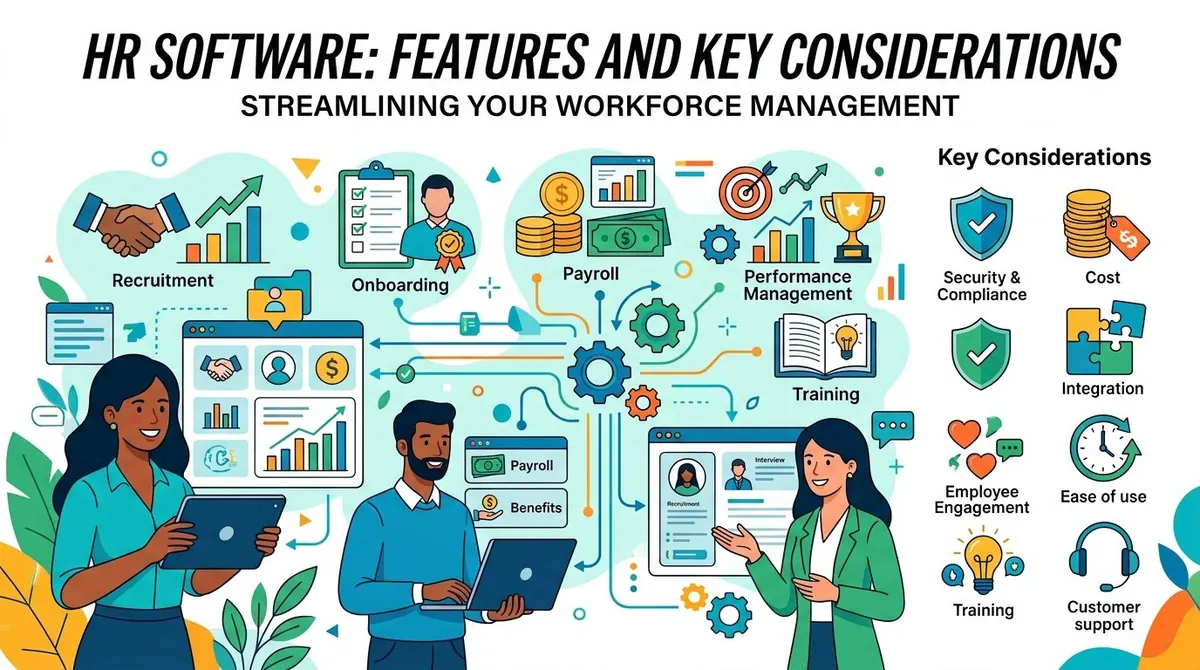
Managing employees involves a wide range of administrative and operational responsibilities, from maintaining employee records and processing time-off requests to recruiting, onboarding, performance management, and workforce planning. As organizations grow, managing these activities through spreadsheets and disconnected systems can become increasingly difficult.
HR software provides a centralized way to manage employee information and automate many human resources processes. Depending on the platform, HR software can support recruiting, onboarding, payroll integration, benefits administration, time and attendance, performance management, employee engagement, and reporting.
The right system depends on the organization's size, workforce structure, existing technology, and HR requirements. Businesses should evaluate functionality, security, integrations, usability, scalability, and total cost before selecting a platform.
What Is HR Software?
HR software is a technology system designed to help organizations manage employee-related information and processes. A basic HR system may primarily function as a centralized employee database, while more comprehensive platforms can support the employee lifecycle from recruitment through offboarding.
The U.S. Bureau of Labor Statistics describes human resources specialists as professionals involved in recruiting, screening, interviewing, hiring, and supporting employee-related processes. HR software can provide digital tools for organizing and automating many of these activities. (bls.gov)
Modern HR platforms are often cloud-based, allowing employees and HR teams to access information through web or mobile applications.
Key Features of HR Software
**Employee Records Management**
A central employee database is one of the core functions of HR software. Organizations can maintain information such as employee contact details, job titles, departments, employment status, compensation information, and important documents.
Centralizing records can reduce reliance on separate spreadsheets and make it easier for authorized HR personnel to locate current information.
**Recruiting and Applicant Tracking**
Many HR platforms include applicant tracking capabilities. These tools can help recruiters manage job postings, applications, candidate profiles, interview schedules, and hiring workflows.
An applicant tracking system can provide a structured process for moving candidates through stages such as application review, interviews, offers, and hiring.
**Employee Onboarding**
HR software can automate onboarding tasks for new employees. HR teams can create checklists, assign required documents, schedule training, and coordinate tasks with managers and other departments.
Automated onboarding can help ensure that routine steps are completed consistently while giving new employees access to important information.
**Time and Attendance**
Time-tracking and attendance features allow organizations to record employee hours, schedules, absences, and overtime where applicable.
These tools can be particularly useful for organizations with hourly employees or complex schedules. Some systems can also connect time records with payroll or workforce-management systems.
**Benefits Administration**
HR platforms may help employees enroll in and manage benefits such as health insurance, retirement plans, and other employer-provided programs.
Integration with benefits providers can reduce manual administrative work and help HR teams maintain more consistent employee records.
**Performance Management**
Performance-management tools can support goal setting, performance reviews, feedback, and development planning.
Managers may be able to establish goals, track progress, document feedback, and conduct structured reviews within the HR platform.
**Learning and Development**
Some HR systems include learning-management or employee-development capabilities. Organizations can use these tools to assign training, monitor completion, maintain learning records, and support professional development programs.
**Employee Self-Service**
Employee self-service portals allow workers to access or update certain information without requiring HR staff to handle every request.
Depending on the platform, employees may be able to update personal information, view documents, request time off, access benefits information, or review company policies.
**HR Reporting and Analytics**
HR analytics can help organizations examine workforce information such as employee turnover, headcount, absenteeism, recruitment activity, compensation, and other workforce metrics.
The U.S. Department of Labor's Office of Human Resources Management highlights the role of workforce data and analytics in supporting workforce planning and decision-making. (dol.gov)
Business Uses of HR Software
HR software can support organizations throughout the employee lifecycle.
Recruitment teams can organize candidate information and manage hiring workflows.
HR departments can maintain employee records, manage policies, coordinate benefits, and handle administrative processes.
Managers can use performance and workforce information to manage teams and track goals.
Employees can use self-service tools to access documents, request time off, and update eligible information.
Executives can use workforce reports to understand headcount, turnover, hiring activity, and other organizational metrics.
The specific applications depend on the organization's workforce and the capabilities included in its HR platform.
Benefits of HR Software
One potential benefit is centralized employee information. Instead of maintaining records across multiple spreadsheets and systems, organizations can manage important HR information within a connected platform.
Other potential benefits include:
- Reduced administrative work: Routine HR processes can be automated.
- Improved data consistency: Employee information can be maintained in a central system.
- Faster employee service: Self-service tools can reduce routine requests to HR staff.
- Better reporting: HR teams can access workforce information more efficiently.
- Standardized processes: Recruiting, onboarding, reviews, and other workflows can follow consistent procedures.
- Improved collaboration: HR, managers, and employees can work from shared information.
The actual benefits depend on implementation, data quality, employee adoption, and the suitability of the platform for the organization's processes.
Cloud HR Software vs. On-Premises Systems
Most modern HR software is offered through cloud-based platforms. Cloud systems are hosted by the software provider and accessed through an internet connection.
Cloud HR software can reduce the organization's responsibility for maintaining servers and infrastructure. Vendors typically handle software updates, infrastructure maintenance, and other technical operations.
On-premises HR systems are installed on infrastructure controlled by the organization. They can provide greater control over the technical environment but may require more internal IT resources.
Businesses should consider security requirements, IT capabilities, integration needs, data residency, and long-term costs when evaluating deployment models.
Key Considerations When Choosing HR Software
**Business Size and Workforce Structure**
A small business with a straightforward workforce may need employee records, onboarding, time tracking, and basic reporting.
Larger organizations may require more sophisticated capabilities such as multi-location support, advanced reporting, organizational structures, benefits administration, and workforce planning.
**Integrations**
HR software may need to connect with payroll, accounting, benefits, recruiting, time-tracking, identity-management, and collaboration systems.
Strong integrations can reduce duplicate data entry and allow employee information to flow between systems.
**Security and Privacy**
HR platforms contain sensitive information, including employee contact information, compensation details, tax information, and employment records.
Businesses should examine encryption, authentication, role-based permissions, audit logs, data retention, backups, and vendor security practices.
**Compliance**
Employment requirements can vary by jurisdiction and industry. HR software may provide tools that support recordkeeping and compliance-related workflows, but organizations remain responsible for understanding and meeting the laws applicable to their operations.
Businesses operating across multiple locations should determine whether the platform can accommodate relevant local requirements.
**Ease of Use**
HR software is used by HR professionals, managers, and employees. A complicated interface can reduce adoption and increase administrative workload.
Businesses should evaluate employee self-service, mobile access, navigation, workflow configuration, and training requirements.
**Pricing and Total Cost**
Pricing models may depend on the number of employees, modules, features, and service level. Additional costs may apply for implementation, data migration, integrations, training, premium support, or specialized modules.
Businesses should evaluate the expected total cost rather than comparing subscription prices alone.
HR Software Examples
The HR software market includes platforms with different combinations of human resources, payroll, workforce management, recruiting, and employee experience capabilities. Examples include Workday, ADP, BambooHR, UKG, and SAP SuccessFactors.
Some platforms focus on core HR and employee management, while others provide broader suites covering payroll, talent management, workforce planning, recruiting, and analytics.
Businesses should compare products based on their workforce requirements, existing technology, budget, geographic coverage, and long-term HR strategy.
Final Thoughts
HR software can help organizations centralize employee information, automate administrative processes, support recruiting and onboarding, manage workforce data, and provide employee self-service. More comprehensive platforms can connect HR processes with payroll, benefits, performance management, and workforce analytics.
Before selecting a system, businesses should identify the HR processes they need to manage, review integration and security requirements, evaluate usability, and calculate the full cost of implementation and ongoing operation. The appropriate platform should support current workforce needs while providing enough flexibility to accommodate organizational growth.