


Introduction
Organizations typically operate multiple disconnected software systems for accounting, inventory, purchasing, human resources, and sales. As businesses expand, this fragmentation creates duplicate data, manual processes, and poor cross-departmental visibility.
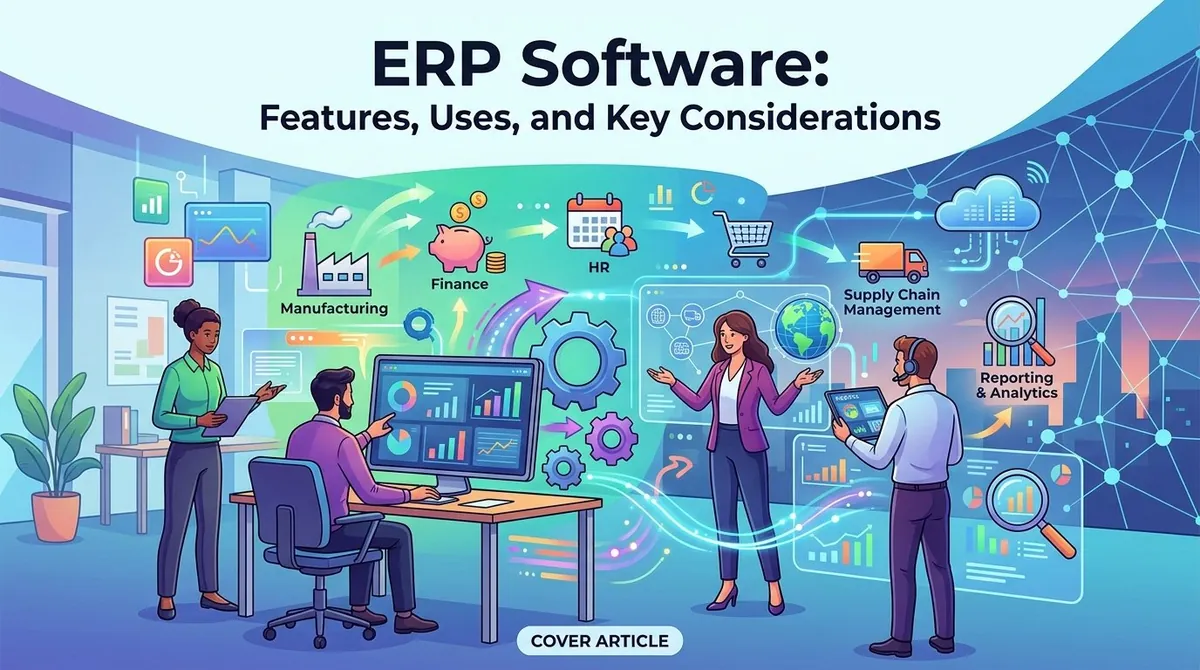
ERP (enterprise resource planning) software addresses this challenge by integrating core business functions through a unified platform. These systems provide consolidated information access, workflow automation, resource management, and performance monitoring capabilities.
However, implementing ERP represents a substantial investment. Organizations must evaluate operational needs, existing infrastructure, deployment options, scalability, security, and overall financial impact before selection.
What Is ERP Software?
ERP is a business management system that "integrates multiple organizational functions into a connected environment." Typical modules include finance, accounting, procurement, inventory, supply chain, manufacturing, human resources, and project management.
Contemporary ERP platforms typically employ shared databases allowing "information can flow between departments." A sales order might simultaneously update inventory, create financial records, and support fulfillment without duplicate entry.
Deployment options include cloud-based, on-premises, or hybrid configurations, depending on organizational requirements, resources, security policies, and IT infrastructure strategy.
Key Features of ERP Software
**Financial Management**
Financial management represents a core ERP component, encompassing "general ledger, accounts payable, accounts receivable, expense management, cash management, budgeting, forecasting, and financial reporting."
Integrating financial with operational data provides comprehensive visibility into revenue, expenses, assets, and overall performance.
**Procurement and Purchasing**
ERP systems support the complete purchasing cycle from supplier management through purchase orders, approvals, receiving, and payment processing.
Workflow automation helps standardize purchasing procedures and improves spending visibility.
**Inventory and Supply Chain Management**
Product-based organizations leverage ERP capabilities to monitor inventory, purchasing, warehouses, logistics, and supply chain operations.
Real-time data enables teams to assess stock levels and coordinate purchasing, production, and fulfillment activities.
**Human Resources**
HR functionality varies significantly across ERP platforms but typically includes employee records, payroll, benefits administration, time tracking, and workforce management.
Organizations with complex workforce requirements may need specialized HR systems alongside ERP integration.
**Reporting and Analytics**
ERP platforms provide dashboards, reports, KPIs, and analytical tools enabling managers to examine financial and operational information within one environment.
Modern systems increasingly incorporate AI and machine learning for automation, forecasting, and analytical insights.
**Integration**
ERP systems must connect with other business applications including CRM platforms, e-commerce systems, payment processors, payroll applications, warehouse systems, and industry-specific software.
APIs, connectors, and integration platforms facilitate data exchange between ERP and external applications.
How Businesses Use ERP Software
Different departments leverage ERP capabilities in distinct ways:
- Finance teams manage accounting, expenses, financial reporting, and budgeting
- Operations teams coordinate purchasing, inventory, production, and fulfillment
- Procurement teams oversee suppliers, purchase orders, approvals, and spending
- Management teams utilize centralized reporting for performance monitoring and issue identification
- HR departments maintain employee information and coordinate workforce processes
The primary advantage is that these functions operate using interconnected information rather than maintaining separate records.
Benefits of ERP Software
"Greater visibility" represents one potential benefit, as connected departmental information provides comprehensive business activity overview.
ERP software can "reduce repetitive data entry and automate routine workflows," potentially improving productivity and minimizing manual transfer errors.
Additional potential benefits include:
- Centralized data maintenance within an integrated environment
- Process automation for routine tasks and approval workflows
- Faster generation of financial and operational reports
- Improved interdepartmental coordination using consistent information
- Scalability through modular system architecture
- Stronger controls via permissions, audit capabilities, and security features
Actual benefits depend on implementation quality, configuration, data quality, and alignment between software and organizational processes.
Cloud ERP vs. On-Premises ERP
Deployment model selection represents an important decision.
Cloud ERP operates through cloud infrastructure accessed via internet connection. It reduces organizational infrastructure maintenance burden and facilitates multi-location access. Cloud platforms typically employ subscription-based pricing.
On-premises ERP installs on organization-controlled infrastructure, providing greater technical control but requiring more internal IT resources for maintenance and upgrades.
Some organizations implement hybrid approaches combining different deployment models or systems for various business units.
Key Considerations When Choosing ERP Software
Selection requires more than feature comparison. Businesses should document critical processes and identify problems the new system must resolve.
**Business Requirements**
Determine which departments and processes need inclusion. Small organizations might prioritize accounting, inventory, and purchasing, while multinational manufacturers require sophisticated supply chain, production, compliance, and multi-currency capabilities.
**Integration**
Evaluate ERP compatibility with existing applications. Complete system replacement may be impractical, so early compatibility assessment with important applications is essential.
**Scalability**
The platform should accommodate anticipated changes in transaction volume, locations, users, products, and business processes. Modular architecture facilitates incremental capability additions.
**Security and Compliance**
Examine user permissions, authentication, data protection, audit trails, backup procedures, and relevant compliance capabilities.
**Total Cost**
"ERP costs can extend beyond the software subscription or license." Organizations should budget for implementation, migration, integrations, customization, training, support, and ongoing administration.
**Implementation Requirements**
ERP implementation complexity stems from multi-departmental and multi-process impact. Organizations should evaluate data quality, migration needs, employee training, customization requirements, and rollout strategy before commitment.
SAP recommends evaluating systems around organizational business processes, transaction volumes, unique requirements, existing system limitations, and customization needs.
ERP Software Examples
The ERP market includes platforms serving organizations of varying sizes and industries. Notable examples include SAP Cloud ERP, Oracle Fusion Cloud ERP, and Microsoft Dynamics 365.
SAP provides capabilities across finance, supply chain, procurement, and manufacturing. Oracle delivers cloud applications covering financial management, procurement, project management, risk management, and other enterprise functions. Microsoft Dynamics 365 includes ERP capabilities for finance and supply chain management.
Organizations should evaluate platforms based on individual requirements rather than selecting systems based solely on market prevalence.
Final Thoughts
ERP software connects business processes, data, and workflows within integrated environments. By consolidating functions including finance, procurement, inventory, supply chain, and human resources, ERP systems help organizations eliminate information silos and enhance operational visibility.
Platform selection requires careful evaluation of functionality, integration capabilities, deployment options, security, scalability, implementation requirements, and total cost. Systems matching organizational processes and long-term strategy matter more than selecting feature-rich platforms.
References
- Microsoft — What Is ERP?
- SAP — What Is ERP?
- Oracle — What Is ERP?
- Oracle — 19 Key ERP Features Explained
- SAP — How to Evaluate ERP Software