


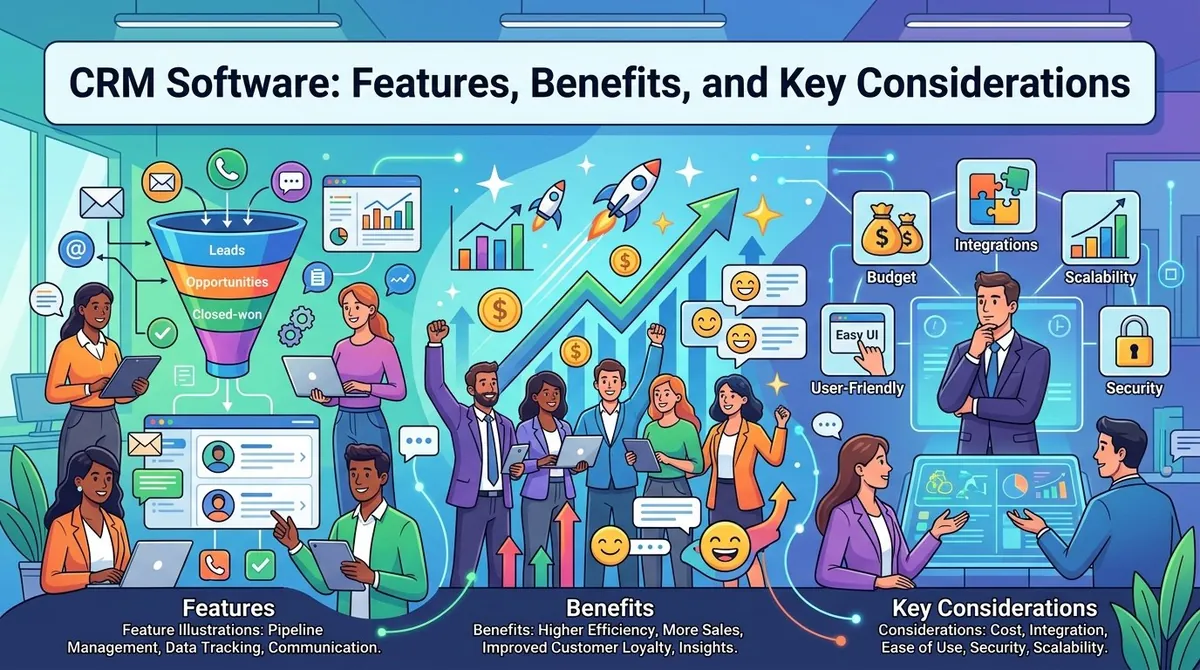
Businesses interact with customers through websites, email, phone calls, social media, sales teams, and customer service channels. As the number of interactions increases, keeping customer information organized can become difficult when teams rely on separate spreadsheets, applications, or manually maintained records.
Customer relationship management (CRM) software provides a centralized system for managing customer and prospect information, tracking interactions, supporting sales activities, and coordinating customer-facing processes. Modern CRM platforms can also include marketing automation, customer service tools, analytics, integrations, and artificial intelligence capabilities.
The right CRM depends on the organization's size, sales process, customer needs, existing technology, and budget. Understanding the main features, benefits, and implementation considerations can help businesses evaluate CRM software more effectively.
What Is CRM Software?
CRM stands for customer relationship management. CRM software helps organizations organize information about current and potential customers and manage interactions throughout the customer lifecycle.
A CRM can store contact details, communication history, sales opportunities, service requests, tasks, and other customer information in a centralized environment. This allows employees across sales, marketing, and service teams to work with shared customer information rather than maintaining separate records.
CRM platforms can vary considerably. Some focus primarily on sales management, while broader systems combine sales, marketing, customer service, commerce, analytics, and other functions.
Key Features of CRM Software
Contact Management
Contact management is one of the fundamental CRM functions. It allows organizations to store customer and prospect information, including contact details, company information, communication history, notes, and activities.
A centralized record can give employees more context when communicating with customers and reduce the need to search through separate systems for previous interactions.
Lead and Sales Management
CRM software can help sales teams manage leads and opportunities throughout the sales process.
Features may include lead capture, lead assignment, opportunity tracking, pipeline management, follow-up reminders, and sales forecasting. Teams can use these tools to monitor where prospects are in the buying process and identify activities that require attention.
Marketing Automation
Some CRM platforms include marketing automation capabilities. These can support customer segmentation, email campaigns, lead nurturing, campaign tracking, and personalized communications.
Connecting marketing activities with CRM records can help teams understand how prospects interact with campaigns and how those interactions relate to sales opportunities.
Customer Service Management
CRM systems can also support customer service teams. Features may include support tickets, case management, customer histories, knowledge bases, live chat, and service analytics.
Having access to previous customer interactions can help service representatives understand the context of a request and maintain continuity when multiple employees work with the same customer.
Reporting and Analytics
CRM platforms can provide reports and dashboards covering areas such as sales activity, pipeline performance, conversion rates, customer service activity, and marketing results.
Analytics capabilities allow managers to examine trends and monitor key performance indicators. Some modern CRM systems also incorporate AI-assisted analysis and predictive capabilities.
Workflow Automation
Automation can reduce repetitive administrative tasks. CRM workflows may automatically assign leads, create follow-up tasks, update records, send notifications, or trigger communications when particular conditions are met.
Automation capabilities vary by platform, so organizations should evaluate whether the available workflows match their actual business processes.
Integrations
CRM software often needs to work alongside other business systems. Common integrations include email, calendars, accounting software, ecommerce platforms, marketing tools, customer support applications, and analytics systems.
Integration can reduce duplicate data entry and allow information to move between applications. The available integration options should be considered before selecting a CRM.
Mobile Access
Many CRM platforms provide mobile applications or responsive interfaces that allow employees to access customer information while away from their desks.
Mobile access can be useful for sales representatives, field service employees, managers, and other workers who regularly interact with customers outside the office.
Benefits of CRM Software
A CRM system can provide several operational benefits when implemented effectively.
Centralized Customer Information
Instead of keeping customer information across multiple spreadsheets and applications, organizations can maintain a shared system for customer records and interactions.
This can make information easier for authorized employees to access and update.
Improved Collaboration
Sales, marketing, and service teams can work from shared customer information. This can help reduce communication gaps and provide teams with a more consistent view of customer activity.
More Efficient Processes
Automation can reduce repetitive administrative work such as data entry, follow-ups, lead assignment, and reporting. This can allow employees to spend more time on customer-facing and analytical activities.
Better Visibility Into Sales
Pipeline dashboards and reporting can help managers monitor opportunities, sales activities, and revenue forecasts. Teams can also identify stalled opportunities or follow-up requirements.
More Consistent Customer Service
When service employees can view customer histories and previous interactions, they may be able to respond with more relevant information and avoid asking customers to repeatedly provide the same details.
CRM software does not automatically produce these outcomes, however. Data quality, user adoption, system configuration, and business processes all influence how effectively a CRM is used.
Types of CRM Systems
CRM systems are sometimes grouped into three broad categories.
Operational CRM focuses on automating and managing customer-facing processes such as sales, marketing, and service.
Analytical CRM emphasizes analyzing customer information to identify patterns, trends, and opportunities.
Collaborative CRM focuses on sharing customer information across departments and communication channels.
Modern platforms often combine elements of all three rather than fitting into only one category.
Key Considerations When Choosing CRM Software
Businesses should evaluate CRM software according to their specific requirements.
Important considerations include:
- Business size: Does the system support the organization's current number of users and customers?
- Features: Does it provide the sales, marketing, service, and reporting capabilities required?
- Ease of use: Can employees learn the system without excessive training?
- Customization: Can fields, workflows, dashboards, and processes be adapted?
- Integration: Does it connect with existing business applications?
- Scalability: Can the platform support future growth?
- Security: What controls are available for protecting customer information?
- Mobile access: Can employees use the system when working remotely or in the field?
- Cost: What are licensing, implementation, training, and ongoing administration costs?
Businesses should also consider data migration. Moving existing customer information into a new CRM can involve cleaning duplicate records, mapping fields, and validating data before migration.
CRM Implementation
Selecting software is only one part of adopting a CRM system. Organizations also need an implementation plan.
Before deployment, businesses can define which processes the CRM will support, determine who owns important data, establish user permissions, and identify the information that needs to be migrated.
Employee training is also important. If users do not consistently enter information or follow agreed processes, the CRM database can become incomplete or unreliable.
Organizations may benefit from starting with essential workflows and gradually expanding the system as employees become comfortable with it.
CRM Software and AI
Artificial intelligence is increasingly incorporated into CRM platforms. Depending on the system, AI features may help summarize customer interactions, identify patterns, recommend actions, automate routine tasks, or assist with forecasting.
These capabilities can reduce manual work, but businesses should evaluate how AI features use customer information and what controls are available. Data quality and governance remain important because automated insights depend on the information available to the system.
Popular CRM Platforms
Several established technology companies offer CRM platforms with different combinations of sales, marketing, service, analytics, automation, and integration capabilities.
Salesforce provides CRM products covering sales, service, marketing, commerce, analytics, and other customer-facing functions.
Microsoft Dynamics 365 combines CRM capabilities with sales, customer service, marketing, and business applications within Microsoft's broader ecosystem.
HubSpot provides CRM functionality alongside marketing, sales, customer service, content, and operations tools.
These platforms differ in pricing, architecture, features, integrations, customization, and target customers. Organizations should compare them according to their own requirements rather than relying solely on brand recognition.
Final Thoughts
CRM software can provide organizations with a centralized way to manage customer information, sales opportunities, marketing activities, service interactions, and business reporting.
The most important considerations extend beyond the feature list. Businesses should evaluate usability, integrations, security, scalability, implementation requirements, data quality, and total cost.
A CRM system can provide a useful foundation for managing customer relationships, but its effectiveness depends on how well the software fits existing processes and how consistently employees use it. A clear implementation plan and ongoing data management can help organizations gain more value from their CRM investment.