


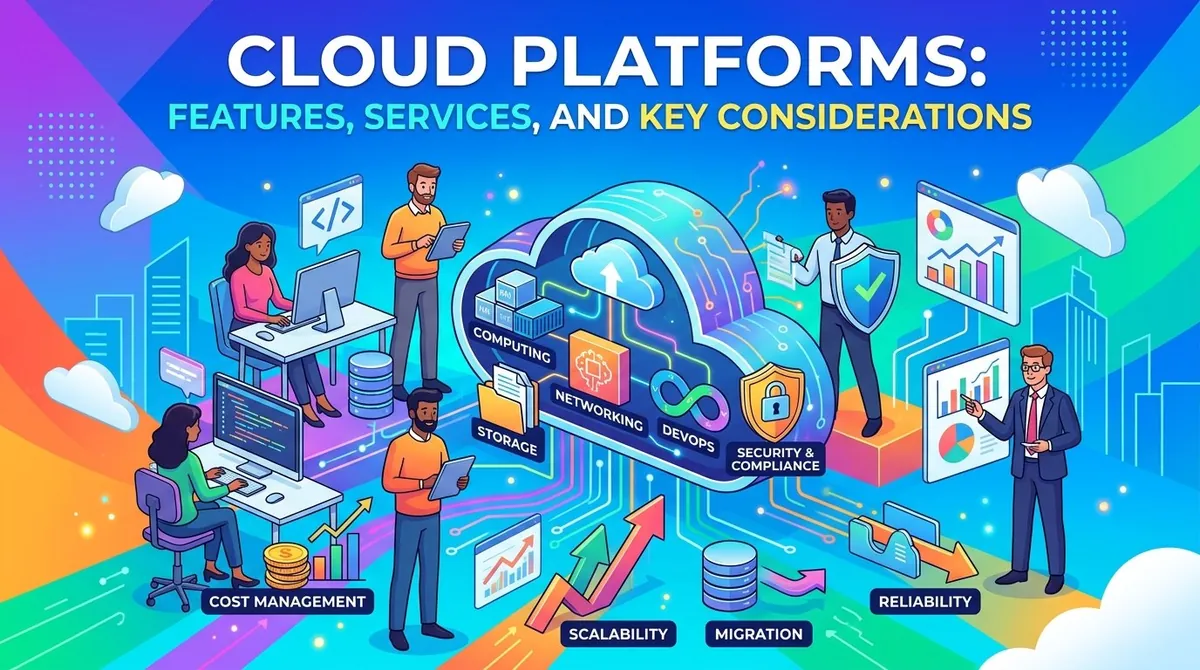
Businesses increasingly use cloud technology to run applications, store information, analyze data, develop software, and support digital operations. Instead of purchasing and maintaining all computing infrastructure themselves, organizations can access technology resources through cloud platforms.
Cloud platforms provide computing, storage, networking, databases, security, analytics, development tools, and other services through internet-accessible infrastructure. AWS describes cloud computing as "the on-demand delivery of computing resources such as servers, storage, databases, and applications, typically using pay-as-you-go pricing."
Cloud platforms vary considerably in their services, pricing structures, deployment options, and management tools. Businesses should evaluate their technical requirements, workload characteristics, security needs, existing systems, and expected growth before selecting a platform.
What Is a Cloud Platform?
A cloud platform is a collection of computing services and infrastructure that organizations can access remotely rather than operating all underlying hardware themselves.
Cloud providers operate data centers containing physical computing resources. Customers can provision resources such as virtual machines, databases, storage, and networking services according to their requirements.
Google Cloud, for example, organizes its infrastructure across geographic regions and zones, allowing organizations to distribute workloads and design for factors such as redundancy and latency.
Cloud platforms can support organizations ranging from small businesses running individual applications to large enterprises operating complex distributed systems.
Key Features of Cloud Platforms
Computing Resources
Cloud platforms provide computing resources for running applications and workloads. These can include virtual machines, containers, serverless computing, and specialized infrastructure.
AWS offers services such as Amazon EC2 for virtual machines, while Google Cloud provides Compute Engine for virtual machines and Cloud Run for managed container-based applications.
Cloud Storage
Cloud storage allows organizations to store files, backups, application data, media, and other information on provider-managed infrastructure.
Storage services can be designed for different requirements, including frequently accessed application data, long-term archives, and large-scale object storage.
Databases
Cloud providers offer managed database services covering relational databases, NoSQL systems, data warehouses, and other database technologies.
Managed database services can reduce the infrastructure administration required to operate databases while providing capabilities such as backups, scaling, monitoring, and high availability.
Networking
Cloud networking connects applications, databases, users, and other resources. Services can include virtual networks, load balancing, DNS, firewalls, private connections, and content delivery networks.
Google Cloud, for example, provides virtual networking, load balancing, DNS, and content delivery services as part of its cloud platform.
Security and Identity
Cloud platforms provide security services designed to control access to resources and protect workloads and information.
Common capabilities include identity and access management, encryption, security monitoring, authentication, key management, and threat detection.
Security responsibilities are generally shared between the cloud provider and customer, with the exact division depending on the services being used.
Analytics and Artificial Intelligence
Cloud platforms increasingly provide tools for data analytics, machine learning, and artificial intelligence.
Google Cloud includes services such as BigQuery for data warehousing, Looker for business intelligence, and AI and machine-learning services.
AWS and Azure also provide extensive analytics and AI services alongside their core infrastructure offerings.
Developer Tools
Cloud platforms can provide tools for developing, testing, deploying, and monitoring applications.
These can include software development kits, command-line interfaces, source-code integrations, container services, CI/CD tools, application hosting, and infrastructure-as-code capabilities.
Types of Cloud Services
Infrastructure as a Service
Infrastructure as a Service (IaaS) provides fundamental computing resources such as virtual machines, storage, and networking.
The customer generally has greater control over the operating environment while the provider manages the underlying physical infrastructure.
Platform as a Service
Platform as a Service (PaaS) provides managed environments for developing and running applications without requiring customers to manage as much of the underlying infrastructure.
PaaS can simplify application deployment and allow development teams to focus more heavily on application code.
Software as a Service
Software as a Service (SaaS) delivers complete software applications through the internet. The provider generally manages the application, infrastructure, maintenance, and updates.
Examples include cloud-based CRM, accounting, collaboration, and productivity applications.
Public, Private, and Hybrid Cloud
Public Cloud
Public cloud services are operated by third-party providers and made available to multiple customers. AWS, Microsoft Azure, and Google Cloud are major examples of public cloud platforms.
Private Cloud
A private cloud environment is dedicated to a single organization. It can provide greater control over infrastructure and configuration but may require additional management and investment.
Hybrid Cloud
A hybrid cloud combines private infrastructure with public cloud resources. Organizations may use this approach when certain workloads or data need to remain in a particular environment while other applications operate in the public cloud.
Benefits of Cloud Platforms
Scalability
Cloud resources can often be increased or reduced as workload requirements change. This can be useful for businesses with seasonal demand or applications with fluctuating traffic.
Reduced Infrastructure Management
Cloud providers manage the physical infrastructure supporting their services. This can reduce the need for businesses to purchase, maintain, and replace their own servers and related hardware.
Faster Deployment
Cloud resources can generally be provisioned more quickly than physical infrastructure. Teams can create development environments, databases, storage resources, and other services without waiting for hardware procurement.
Global Availability
Major cloud providers operate infrastructure across multiple geographic locations. Organizations can use different regions and availability configurations to support performance, resilience, and geographic requirements.
Access to Advanced Services
Cloud platforms provide access to technologies such as managed databases, analytics, machine learning, AI, containers, and serverless computing without requiring organizations to build all supporting infrastructure themselves.
Key Considerations When Choosing a Cloud Platform
Workload Requirements
Start by identifying what the organization needs to run. A simple website, enterprise application, data warehouse, AI workload, and high-volume transaction system can have very different infrastructure requirements.
Performance and Availability
Consider computing requirements, network latency, storage performance, geographic coverage, and availability requirements. Workloads with strict uptime or latency requirements may need carefully designed architectures across multiple zones or regions.
Security and Compliance
Businesses should evaluate identity controls, encryption, security monitoring, data residency, certifications, and regulatory requirements relevant to their industry and geographic markets.
Pricing Model
Cloud services commonly use usage-based pricing, although pricing structures vary by provider and service. AWS describes cloud computing as providing "pay-as-you-go access to resources," while providers also offer different pricing commitments and discounts.
Businesses should estimate expected usage and consider storage, computing, networking, data transfer, support, and other associated costs.
Existing Technology
Compatibility with existing applications, databases, development tools, identity systems, and business software can affect the complexity of migration.
Skills and Support
Organizations should consider whether their teams have the technical skills required to manage the selected platform. Training, documentation, professional services, and technical support can also affect implementation.
Vendor and Service Flexibility
Businesses may evaluate whether they want to rely primarily on one cloud provider or use multiple providers. Multicloud strategies can provide flexibility but may also increase operational and management complexity.
Examples of Major Cloud Platforms
Amazon Web Services (AWS) provides services across computing, storage, databases, networking, security, analytics, AI, application integration, and other categories.
Microsoft Azure provides cloud services for application development, data and analytics, AI, security, hybrid infrastructure, and cloud migration.
Google Cloud provides services covering infrastructure, databases, analytics, AI and machine learning, application development, networking, security, and storage.
The appropriate platform depends on the organization's workloads, technology environment, security requirements, technical skills, and financial considerations.
Final Thoughts
Cloud platforms provide businesses with access to computing infrastructure, storage, databases, networking, analytics, AI, security, and development services without requiring organizations to operate all underlying physical infrastructure themselves.
The selection process should begin with workload requirements and business objectives. Organizations should then evaluate performance, security, compliance, integrations, pricing, scalability, technical skills, and support.
Cloud adoption can provide flexibility and access to a broad range of technology services, but effective implementation still requires careful architecture, cost management, security controls, and ongoing operational oversight.