


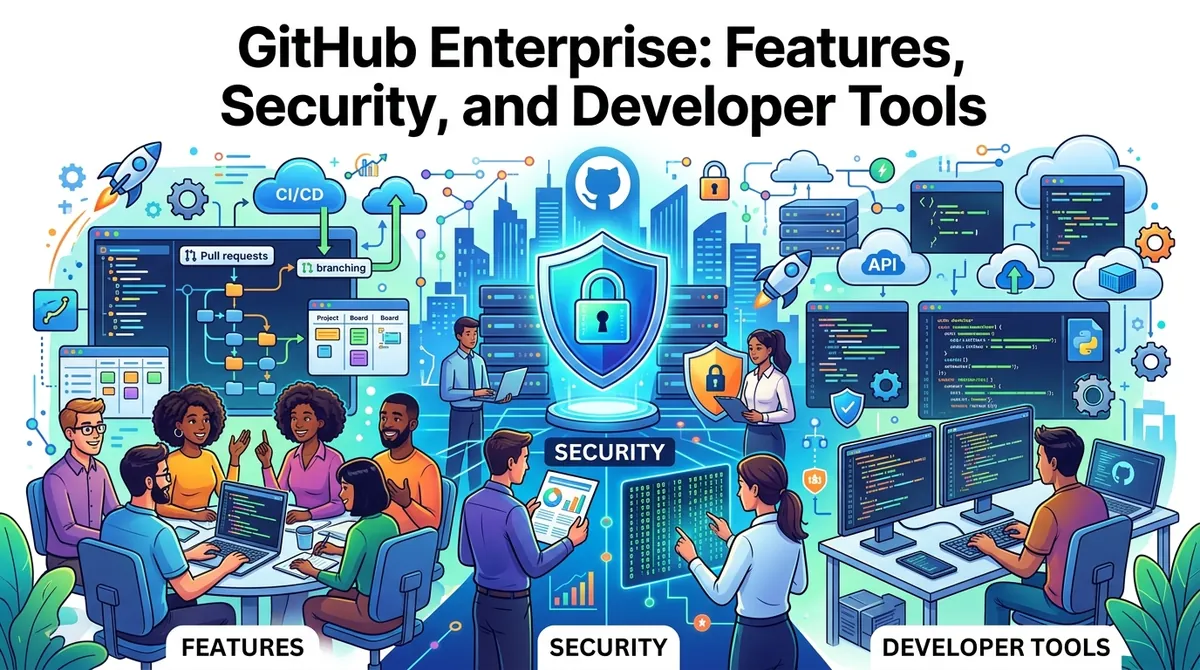
GitHub Enterprise is an enterprise-grade software development platform designed for organizations that need centralized management, security, collaboration, and development automation across large engineering teams. It combines source-code management with pull requests, issue tracking, CI/CD, security tools, developer environments, package management, and AI-assisted development.
GitHub Enterprise is available through GitHub Enterprise Cloud and GitHub Enterprise Server. Enterprise Cloud provides a managed cloud environment, while Enterprise Server allows organizations to run GitHub within their own infrastructure. An Enterprise subscription provides access to both deployment options, subject to GitHub's licensing and deployment arrangements.
For organizations managing multiple development teams, the platform adds centralized governance and identity controls on top of GitHub's standard development workflows.
What Is GitHub Enterprise?
GitHub Enterprise brings Git-based source-code management together with collaboration and software delivery tools. Developers can create repositories, manage branches, review pull requests, track issues, automate workflows, and publish packages from a shared platform.
Enterprise accounts provide a central management layer across multiple GitHub organizations. Administrators can manage policies, users, permissions, security settings, and repository rules at organizational and enterprise levels.
GitHub Enterprise Cloud is hosted by GitHub, while Enterprise Server provides a self-hosted deployment option for organizations requiring greater control over their infrastructure.
GitHub Repositories and Collaboration
GitHub repositories provide the foundation for software development on the platform. Teams can store source code, documentation, configuration files, and other project materials in repositories.
Developers can create branches to work on changes without immediately modifying the main codebase. Pull requests then provide a structured process for reviewing and discussing proposed changes before they are merged.
Issues can be used to track bugs, feature requests, development tasks, and other work. GitHub Projects adds project-management capabilities for organizing work across repositories and teams.
These tools connect development activity with the actual code being changed, creating a shared workflow for developers, reviewers, and project managers.
GitHub Actions and CI/CD
GitHub Actions provides workflow automation for software development and deployment.
Organizations can create workflows that automatically build applications, execute tests, perform security checks, package software, and deploy applications when specific events occur.
Enterprise plans include a substantial allowance of GitHub Actions usage, while additional usage can generate charges depending on the organization's configuration. GitHub currently lists 50,000 CI/CD minutes per month as an Enterprise allowance, with additional usage billed separately under applicable terms.
Actions can also integrate with third-party services through reusable actions and the GitHub Marketplace.
GitHub Packages and Codespaces
GitHub Packages allows organizations to host and manage software packages alongside their source code. Developers can publish packages and use them as dependencies in development workflows.
GitHub currently lists 50 GB of Packages storage as part of the Enterprise offering, with additional usage subject to applicable billing.
GitHub Codespaces provides cloud-hosted development environments that can be configured to match a project's requirements. Developers can work in standardized environments without manually configuring every dependency on their local computers.
Codespaces is billed separately according to compute and storage usage beyond applicable allowances.
GitHub Copilot and AI Development
GitHub integrates artificial intelligence into the developer workflow through GitHub Copilot.
Copilot can assist with code completion, code explanations, development questions, and other programming tasks. GitHub Enterprise customers can purchase Copilot as an additional product and manage aspects of its use through enterprise-level administration.
GitHub is also expanding AI-assisted development toward more agent-based workflows, where AI can help developers work through software tasks rather than simply generating individual lines of code. GitHub's Enterprise platform includes administrative controls designed to help organizations manage AI tools and agents at scale.
GitHub Enterprise Security
Security is a major component of GitHub Enterprise. Organizations can apply repository rules, manage permissions, review audit events, and integrate GitHub with corporate identity systems.
GitHub provides security capabilities such as dependency graphs, Dependabot alerts, repository rulesets, artifact attestations, and security policies across applicable plans. Additional security capabilities are available through GitHub's Advanced Security products.
GitHub Enterprise also supports security and governance controls across multiple organizations, allowing administrators to establish consistent policies rather than configuring every repository independently.
GitHub Advanced Security
GitHub Advanced Security expands the platform's application-security capabilities.
GitHub Code Security includes code scanning, CodeQL, dependency review, premium Dependabot capabilities, security campaigns, and Copilot Autofix for applicable security alerts.
GitHub Secret Protection provides secret scanning, push protection, AI-assisted secret detection, custom patterns, and additional controls for preventing credentials from entering repositories.
These capabilities can help development and security teams identify vulnerabilities and exposed credentials earlier in the software lifecycle.
Advanced Security features can be purchased for GitHub Enterprise environments, while some security capabilities are available for public repositories without an additional license.
Identity and Access Management
GitHub Enterprise provides centralized identity and access-management capabilities for larger organizations.
Enterprise customers can use SAML single sign-on, SCIM provisioning, Enterprise Managed Users, domain verification, custom roles, and team synchronization with supported identity providers.
Enterprise Managed Users allow organizations to manage member accounts through their identity provider. SCIM can automate user provisioning and removal as employees join or leave the organization.
These controls help organizations align GitHub access with existing corporate identity-management processes.
Enterprise Governance and Audit
Centralized governance is another major Enterprise capability.
Administrators can manage multiple organizations through an enterprise account, establish repository rules, create teams, assign roles, and review activity through audit logs.
GitHub also provides compliance reports, including SOC reports and other compliance documentation, for organizations that need evidence for security assessments and governance processes.
Enterprise Cloud also supports data residency for eligible configurations. GitHub currently lists regional options including the European Union, Australia, United States, and Japan for supported data-residency deployments.
GitHub Enterprise Cloud vs. Enterprise Server
Organizations can choose between two primary deployment models.
GitHub Enterprise Cloud is a managed SaaS environment operated by GitHub. It provides cloud scalability while offering enterprise controls such as SAML, SCIM, managed users, centralized administration, and data-residency options.
GitHub Enterprise Server is a self-hosted deployment. Organizations operate the GitHub environment within their own infrastructure, providing a different approach to infrastructure management and data control.
GitHub Connect can link Enterprise Server and Enterprise Cloud environments, allowing organizations to share selected features and workflows between deployments.
GitHub Enterprise Pricing
GitHub currently lists Enterprise at $21 per user per month for the first 12 months on its public pricing page. Organizations can start a free 30-day trial or contact GitHub sales.
Enterprise billing is based on the number of unique users consuming licenses. Additional costs can apply for services such as GitHub Actions or Codespaces beyond included allowances and for optional products including GitHub Copilot and Advanced Security.
Because enterprise agreements and usage-based services can vary, organizations should evaluate the complete expected deployment and service requirements rather than considering the base license alone.
How Businesses Evaluate GitHub Enterprise
Organizations generally consider:
- Number of developers and other users
- Cloud versus self-hosted deployment
- Source-code governance requirements
- CI/CD workloads
- Security and compliance requirements
- Identity-management integration
- Data-residency requirements
- AI development requirements
- Codespaces and package-management usage
- Advanced Security requirements
- Enterprise administration needs
The appropriate configuration depends on how the organization structures its engineering teams and software-delivery processes.
Final Thoughts
GitHub Enterprise combines source-code management, collaboration, CI/CD, security, package management, cloud development environments, governance, and AI-assisted development within an enterprise platform.
Its major capabilities include repositories and pull requests, GitHub Actions, Projects, Packages, Codespaces, Copilot, identity management, audit controls, repository rules, and optional Advanced Security products. Organizations can deploy GitHub Enterprise through GitHub's cloud environment or use Enterprise Server for self-hosted deployments.
For companies evaluating the platform, the main considerations include deployment model, development scale, security requirements, identity integration, automation workloads, AI usage, and governance needs.