


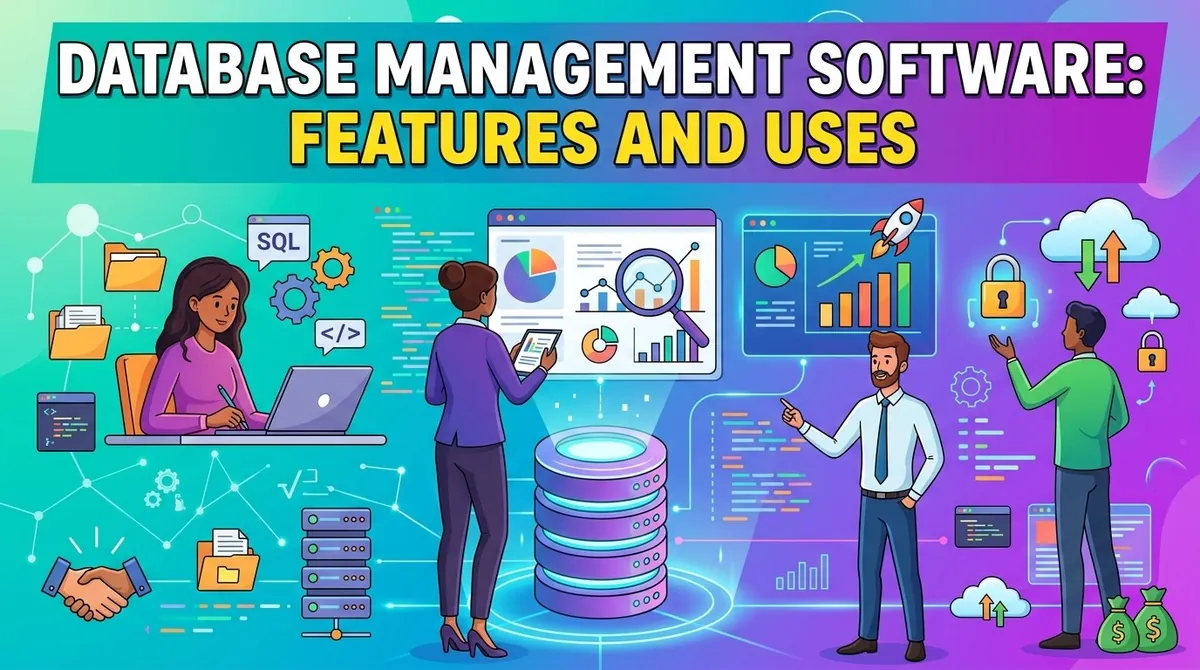
Businesses rely on databases to store and organize information about customers, products, transactions, employees, operations, and other activities. As organizations generate increasing amounts of digital information, they need reliable systems for storing data, retrieving it efficiently, maintaining its quality, and controlling access.
Database management software provides tools for creating, storing, organizing, querying, securing, and maintaining databases. Database management systems (DBMS) can support structured business information as well as specialized workloads involving documents, analytics, applications, and large-scale data.
The appropriate database software depends on the type of data, application requirements, performance needs, scalability, security, and technical resources available to the organization. Businesses should evaluate these factors before selecting a database platform.
What Is Database Management Software?
Database management software is a system used to create, manage, access, and maintain databases. A DBMS provides an interface between applications and stored data, allowing authorized users and applications to create, retrieve, update, and manage information.
Relational database systems organize information into tables containing rows and columns and commonly use SQL for querying and managing data. Other database technologies use different models, including document, key-value, graph, and wide-column approaches.
Database systems can be deployed on company-managed infrastructure or consumed as managed cloud services. Managed database services can reduce some of the administrative work associated with infrastructure, maintenance, backups, and scaling.
Types of Database Management Software
Relational Database Management Systems
Relational database management systems (RDBMS) organize information into related tables. They are widely used for transactional applications where consistency and structured relationships between data are important.
Common relational database technologies include PostgreSQL, MySQL, Microsoft SQL Server, and Oracle Database.
NoSQL Databases
NoSQL databases support data models that do not rely exclusively on traditional relational tables. They can include document, key-value, graph, and wide-column databases.
These systems can be useful for applications involving flexible data structures, large-scale workloads, or specific access patterns.
Cloud Database Services
Cloud providers offer managed database services that handle portions of database infrastructure and administration. Depending on the service, the provider may manage hardware, operating systems, backups, patching, availability, and scaling.
AWS, Microsoft Azure, and Google Cloud all offer managed database services covering different database technologies and workloads.
In-Memory Databases
In-memory databases keep significant amounts of data in system memory to support fast data access. They can be used for applications where low latency is particularly important.
Key Features of Database Management Software
Data Storage and Organization
Database software provides structures for storing and organizing information. Relational systems use tables, relationships, indexes, and schemas, while other database models use different structures.
A well-designed data structure can make information easier to retrieve and maintain.
Querying
Database management systems provide ways to retrieve and manipulate information. SQL is widely used with relational databases for querying, inserting, updating, and deleting data.
Queries can range from simple searches to complex operations involving multiple tables and calculations.
Data Integrity
Database systems can use constraints and validation rules to help maintain accurate and consistent information. Examples include primary keys, foreign keys, unique constraints, and data-type restrictions.
Maintaining data integrity is particularly important for transactional systems where incorrect information can affect downstream business processes.
Backup and Recovery
Database software commonly provides tools for backing up information and restoring databases after failures, accidental deletion, corruption, or other incidents.
Organizations should establish backup and recovery strategies based on the importance of their data and acceptable recovery objectives.
Security and Access Control
Database systems can control who can access databases and what actions users are permitted to perform. Capabilities can include authentication, role-based permissions, encryption, auditing, and activity monitoring.
Access controls can help organizations limit sensitive information to authorized users and applications.
Performance Management
Database software may provide indexing, query optimization, caching, monitoring, and other features that help improve performance.
Database administrators can use performance information to identify inefficient queries, resource constraints, and other issues.
Scalability
Some database platforms support scaling by increasing the resources available to a database server, while others can distribute workloads across multiple systems.
Cloud database services may provide automated or configurable scaling capabilities depending on the service.
Common Uses of Database Management Software
Customer Data
Businesses use databases to store customer profiles, contact information, account records, interactions, and transaction histories.
CRM systems commonly rely on database technologies to manage customer-related information.
Financial Transactions
Banks, retailers, payment companies, and other organizations use databases to record transactions, balances, invoices, payments, and other financial information.
Transactional databases generally require strong consistency and reliability.
Inventory Management
Retailers and manufacturers can use databases to track products, inventory levels, suppliers, orders, shipments, and warehouse activity.
Human Resources
HR systems can store employee records, payroll information, benefits data, organizational structures, and other workforce information.
E-Commerce
E-commerce applications use databases to manage products, customers, shopping carts, orders, payments, and fulfillment information.
Analytics and Reporting
Businesses can use databases and data warehouses to store information for reporting and analysis. Analytical systems may be designed differently from transactional databases to support large queries across historical datasets.
Benefits of Database Management Software
Database management software can provide several benefits:
- Centralized information: Data can be stored in structured systems that applications and authorized users can access.
- Improved data consistency: Database rules and constraints can help reduce inconsistent information.
- Efficient retrieval: Indexes and query systems allow users and applications to locate information efficiently.
- Security: Access controls can restrict database resources and sensitive information.
- Reliability: Backup, recovery, replication, and availability features can help protect important data.
- Scalability: Database systems can support growing data volumes and application workloads.
- Integration: Databases can connect with applications, analytics platforms, APIs, and other business systems.
Database Management Software vs. Data Warehouse
A database is commonly used to support operational applications and transactions, while a data warehouse is generally designed for analytical workloads involving large amounts of historical information.
For example, an online store may use a transactional database to record orders as they occur while transferring information to a data warehouse for sales analysis and reporting.
The distinction is not absolute, and modern cloud platforms can combine or connect transactional and analytical capabilities in different ways.
Key Considerations When Choosing Database Software
Data Model
Determine whether the application requires a relational database, document database, graph database, key-value system, or another model.
Workload
Consider whether the primary workload involves transactions, analytics, real-time applications, content management, or another use case.
Performance
Evaluate expected query volume, response times, concurrent users, storage requirements, and workload patterns.
Scalability
Consider how data volume and application traffic may grow. Determine whether the database can scale vertically, horizontally, or through managed cloud capabilities.
Security
Review authentication, authorization, encryption, auditing, backup protection, and compliance capabilities.
Administration
Consider the technical skills required to install, configure, maintain, monitor, and troubleshoot the database.
Integration
Check compatibility with programming languages, applications, cloud platforms, analytics tools, APIs, and existing infrastructure.
Cost
Consider licensing, infrastructure, cloud consumption, storage, backups, support, administration, and migration costs when calculating total ownership expenses.
Examples of Database Management Software
Microsoft SQL Server is a relational database platform that supports transactional processing, analytics, business intelligence, and application development. (microsoft.com)
PostgreSQL is an open-source object-relational database system with support for SQL, extensibility, and advanced data types. (postgresql.org)
Amazon Aurora is a managed relational database service compatible with MySQL and PostgreSQL and designed for cloud applications. (aws.amazon.com)
Final Thoughts
Database management software provides the foundation for storing, organizing, accessing, securing, and maintaining business information. Different database technologies are designed for different workloads, from transactional applications and e-commerce systems to analytics and specialized data applications.
When choosing database software, businesses should evaluate the data model, workload, performance, scalability, security, administration requirements, integrations, and total cost. Selecting a database that matches the application's technical and business requirements can support reliable data management as the organization grows.